1
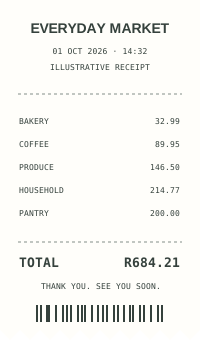
Capture it.
Scan your receipt, or enter the expense manually.

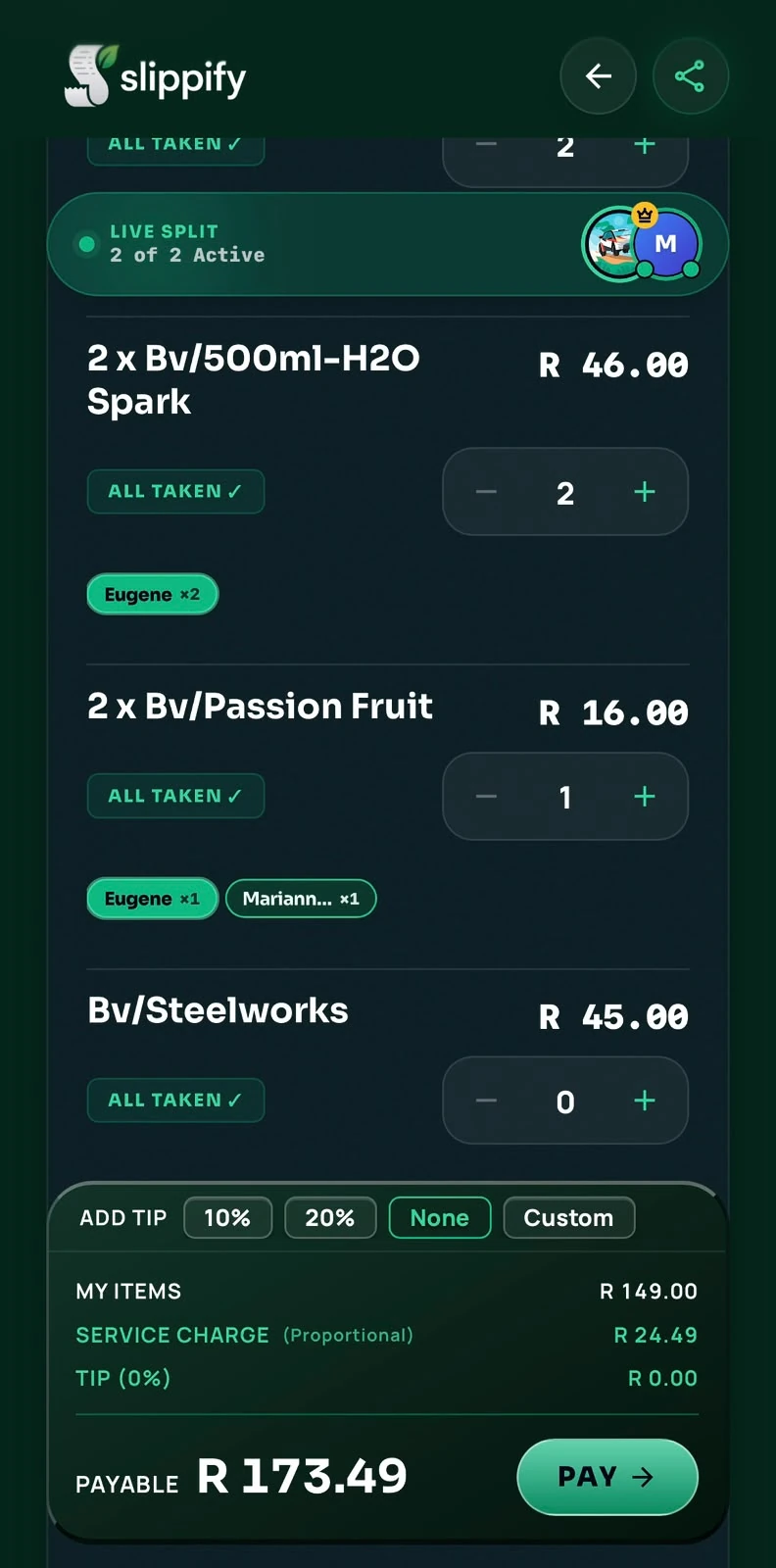
See how diners claim their items and review their portion of the bill, tip, and service charge.
Share the table-session link so guests can join and claim their items.
Guests can join the bill you’re splitting.
Keep tracking expenses manually, splitting bills, and using shared tabs. Buy prepaid scan credits when you want to scan a receipt.
Scan your receipt, or enter the expense manually.
Review the details and organize the expense.
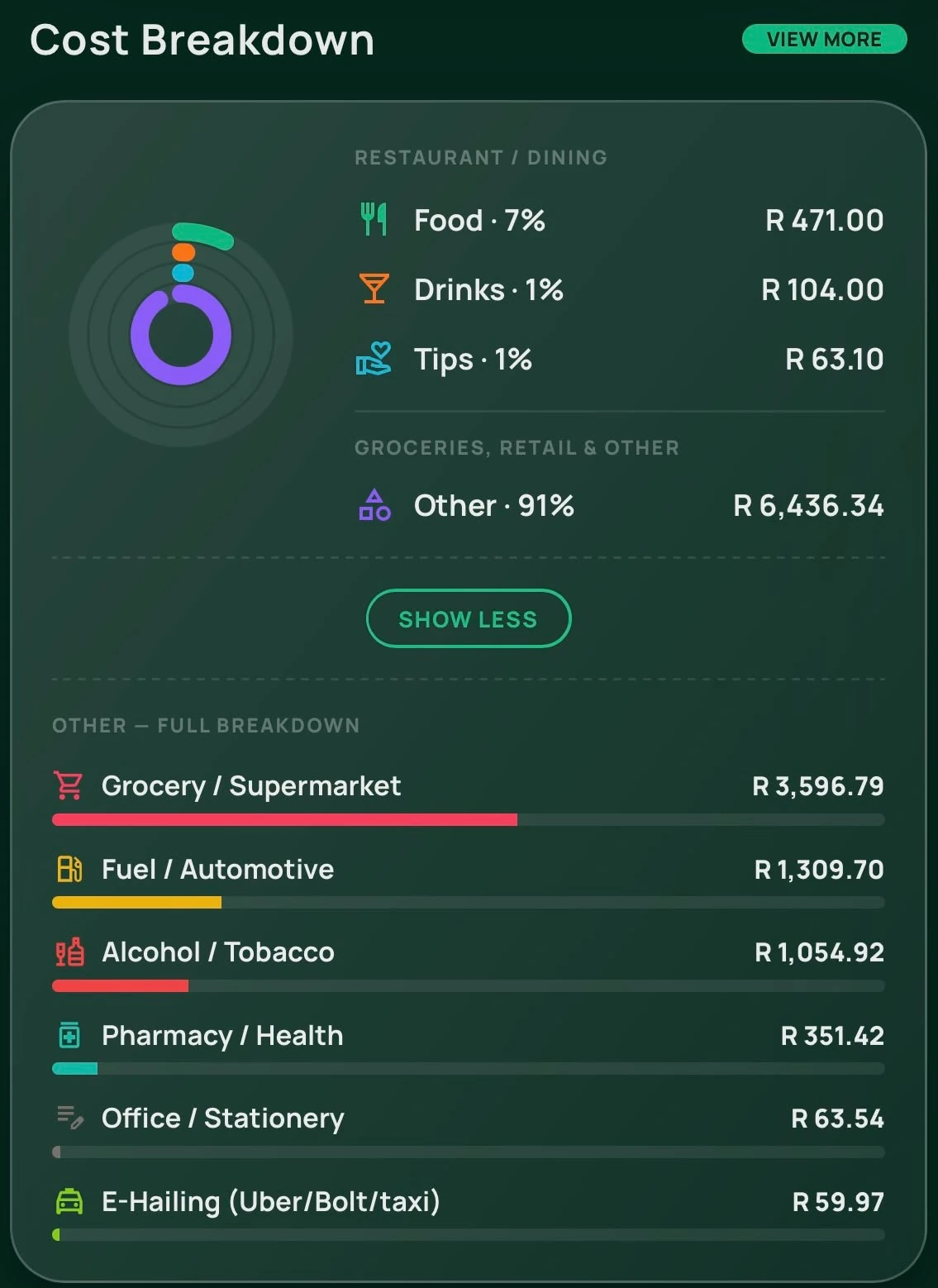
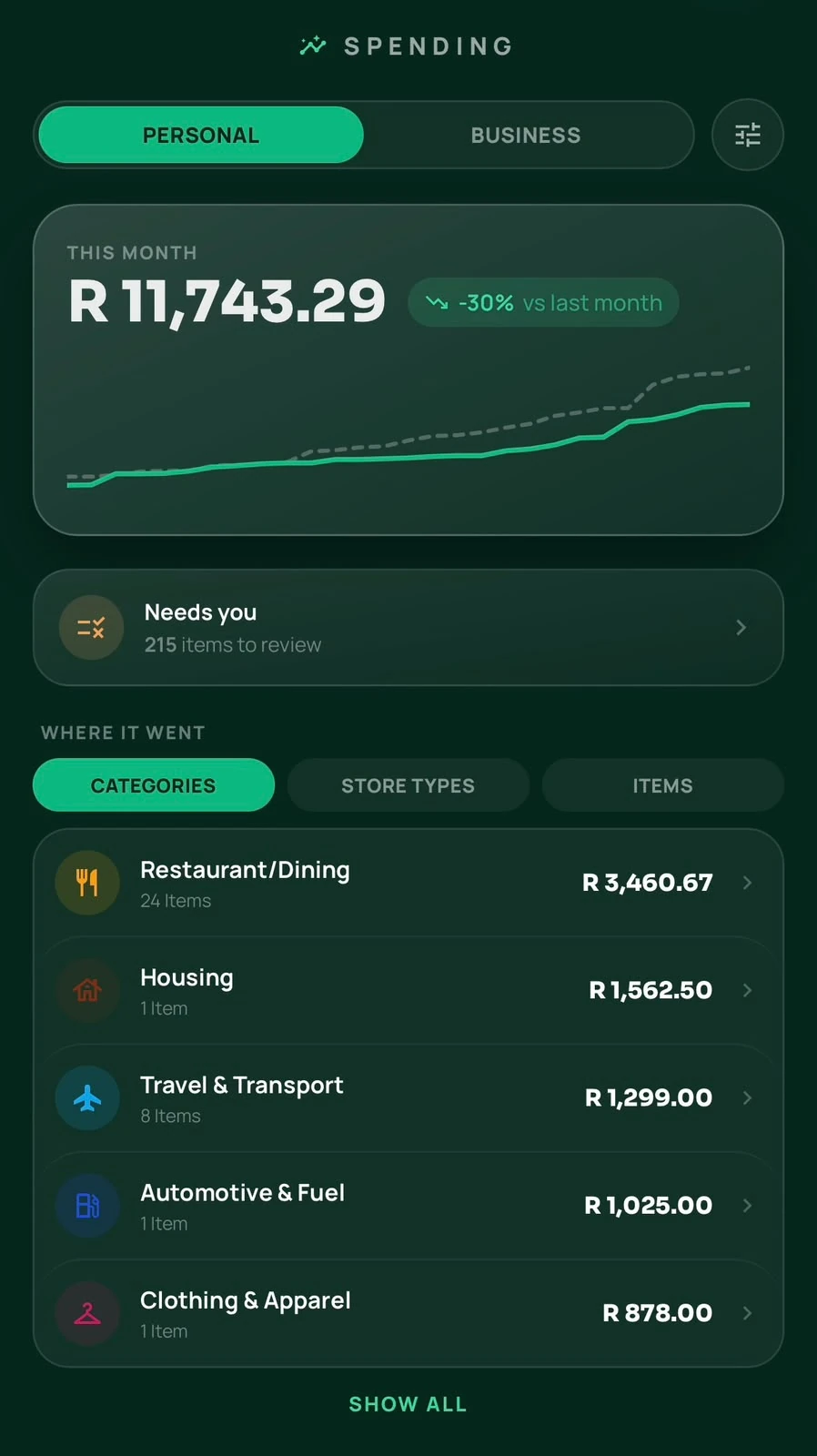
Explore spending, categories, and shared balances.
Slippify runs in your browser. Open it on your phone from the QR code or use the desktop app wrapper.
Yes. Manual expense entry is part of the free core. Receipt scanning uses prepaid credits.
Share the table-session link so guests can join and claim their items.
Yes. Explore the app in the desktop phone wrapper, or open the full browser view.